
AI Video Generator
Butter SoftVideo Players & Editors
3.745.00 Reviews
- Version
- 1.3.5
- Installs
- 500.00K
- Age Rating
- Everyone
Screenshots
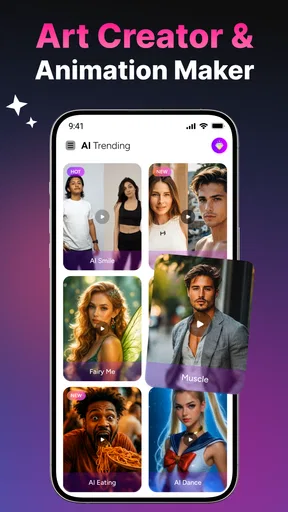
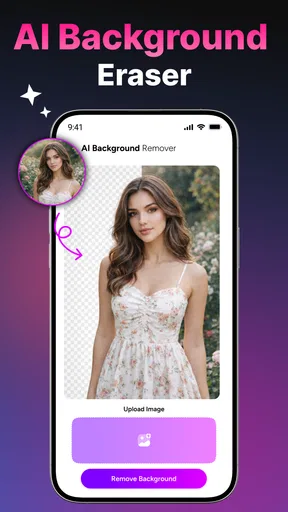
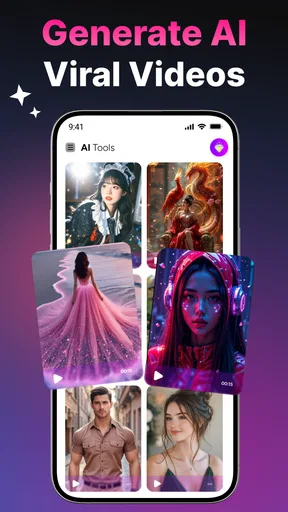
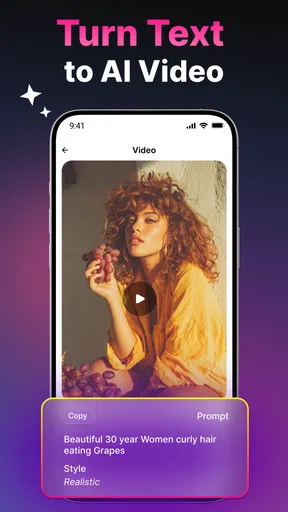
Our Review of AI Video Generator
 Analysis by Appyee
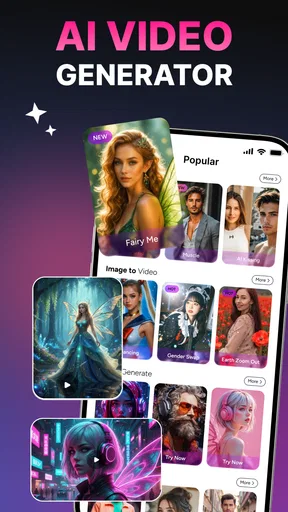
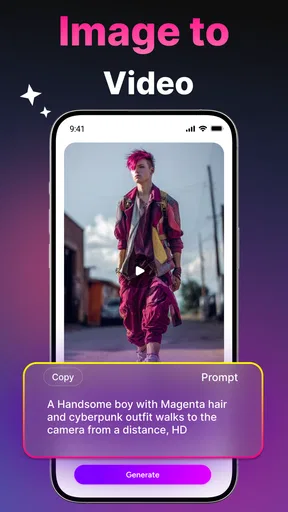
I approached AI Video Generator as a practical creative tool rather than a replacement for a full desktop editor. It sits in the video players and editors category, but its appeal is really about reducing the distance between an idea and a finished visual: you can create AI-assisted videos, generate images, remove backgrounds, and experiment with face swaps from one mobile app. That combination makes it interesting for quick social posts, visual experiments, and people who do not want to learn a complicated timeline editor first.
My overall impression is mixed in a useful way. The app is easy to understand at a glance, and the range of tools gives it more purpose than a single-effect novelty app. At the same time, AI creation is not the kind of work I would expect to finish instantly, especially when the task involves generating or transforming visual material. The best experience comes from treating it as an idea workshop: make a draft, inspect the result carefully, then decide whether it is good enough to share or needs another pass.
How the app feels when you start creating
The first thing I noticed is that the app brings several visually demanding jobs into one place. Instead of switching between an image generator, a background-removal utility, and a face-swap tool, I can use the same general workflow for different kinds of content. That is convenient when I am preparing a short post and do not yet know whether the final result will be an animated image, a transformed portrait, or a generated video.
That convenience also shapes expectations around speed. A simple selection or edit should feel more immediate than an AI-generated result, while a request that creates new visual content naturally needs more processing. I would not judge the app unfairly because a complex generation takes longer than a basic manual adjustment. The more important question is whether the waiting is worthwhile and whether the result gives me something I could not have produced quickly with an ordinary editor.
For a casual user, the strongest workflow is to begin with a small creative goal. I might prepare a portrait for a profile post, remove a distracting background, and then use the cleaned image in a short video concept. Starting with one clear task makes the app feel responsive because I can evaluate each stage instead of sending several ambitious requests at once.
The practical advantage is not maximum editing depth; it is keeping several AI-assisted steps close together. That matters when I am working from a phone and want to make something presentable without moving files through multiple specialist apps. It is less compelling for a creator who already has a polished editing system and only needs one narrowly defined function.
What affects perceived speed
There are two kinds of speed here. The first is interface speed: opening a tool, choosing an image, and moving through the basic process. The second is creative speed: how quickly I can reach a result I actually want. The latter depends heavily on the quality of my source material and how specific my instructions or choices are. A vague idea can lead to repeated attempts, making the app feel slower even when the controls themselves are straightforward.
I found it more sensible to use the app for short, focused experiments than for a long sequence of complicated transformations. A single face swap or background change is easy to assess. A full project involving several generated assets can become harder to manage because every additional step creates another opportunity for an awkward edge, an unnatural expression, or a visual mismatch.
One useful habit is to prepare source images before importing them. A clear subject, a visible face when the task depends on facial detail, and a reasonably uncluttered composition give the app a better starting point. This does not guarantee a perfect result, but it reduces the time spent blaming the tool for problems that began in the original image.
When the workload becomes demanding
Heavy use is most likely when I combine generation, image processing, and video creation in the same session. Those tasks can be more demanding than simply watching or trimming a local clip. I would plan longer creative sessions with some patience, particularly on an older phone or when working with several large source files.
For that reason, I would not use this app as my only tool for a time-sensitive production. If I had to deliver a polished announcement at a fixed moment, I would keep a conventional editor available for predictable trimming, captions, and final assembly. AI Video Generator is better suited to generating the visual ingredients and exploring alternatives before the final decision.
A realistic everyday example would be a small shop owner preparing a weekend social post. I could remove the background from a product photo, create a more imaginative visual around it, and turn that idea into a short video draft. The app could save time during the concept stage, but I would still inspect the product edges and make sure the generated result does not distort packaging, lettering, or important details. For a business post, visual accuracy matters more than novelty.
Another good use is a personal travel montage. I could generate an image to fill a visual gap, use a background-removal effect for a portrait, and assemble a quick concept for sharing with friends. In that setting, small imperfections are often acceptable. The same imperfections would be much more serious in a professional advertisement, educational clip, or anything involving identifiable people without their permission.
Stability and recovering from an imperfect result
I judge reliability in an AI app by more than whether it opens. The real test is how confidently I can repeat a task, recognize a poor result, and try again without losing the whole workflow. With creative generation, an imperfect output is not automatically a failure; variation is part of the process. The app is most useful when I can treat an unsuccessful attempt as a draft rather than as a finished answer.
That makes recovery habits important. I would keep the original image untouched, save useful intermediate results, and avoid overwriting the only copy of a source file. When a face swap looks unnatural or a background removal leaves a rough outline, starting again from the original is usually better than repeatedly modifying an already processed image.
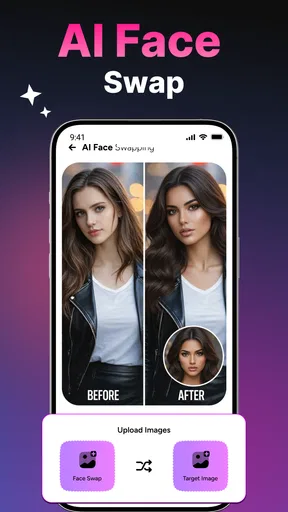
Face swap deserves especially careful review. A result can look convincing in a small preview but reveal obvious problems when viewed larger, particularly around hair, glasses, hands, or the boundary between face and background. I would never assume that an automated transformation is ready to publish without checking it closely. The feature is best for playful, clearly contextualized content rather than misleading representations of real events or people.
Background removal has a different trade-off. It can be genuinely useful for quick compositions, but fine details such as loose hair, transparent objects, and uneven edges are difficult for any automated tool. If the subject will sit against a plain background, minor flaws may disappear. If the cutout is going into a busy design, those flaws become much easier to notice.
The app’s free availability lowers the barrier to testing these workflows. However, the presence of in-app purchases ranging from $0.99 to $189.99 per item means I would review any purchase screen carefully before committing to repeated generation. The broad range suggests that casual experimentation and intensive use may not have the same cost implications. I would begin with a small project, learn what the free experience allows, and only then decide whether paid use makes sense for my habits.
Phone resources and practical device limits
AI video work can place more pressure on a phone than ordinary playback or basic photo editing. Large source images, multiple exports, and repeated attempts can consume storage and make a session feel less comfortable on a device with limited free space. I would clean up failed drafts and temporary media regularly, especially if I use the app for several projects rather than one occasional experiment.
The minimum operating-system requirement is Android 7.0, which makes the app accessible to a wide range of Android devices. That does not mean every compatible phone will feel equally capable. A newer device will generally be a more comfortable choice for repeated creative work, while an older compatible phone may be better used for short tasks and occasional edits. I would avoid judging performance from compatibility alone.
Resource demands also depend on how I work. Generating one asset, checking it, and exporting only the useful version is more sensible than creating many near-identical variations without reviewing them. This is one of the less obvious ways to improve the experience: decide what you are testing before you start. A clear goal reduces both processing time and clutter in the phone’s storage.
I would also leave room for recovery if a session does not go as planned. Keeping the app open while repeatedly changing direction is not always the most efficient approach. If the workflow becomes confusing, I would return to the original media, close the current attempt mentally, and rebuild the project in smaller stages. That approach is particularly helpful for newcomers who may otherwise mistake an experimental tool for an automatic one-click production system.
Where it beats ordinary alternatives
Compared with a traditional mobile video editor, this app is more appealing when the creative problem is “make something new from this idea” rather than “cut these clips precisely.” A conventional editor remains better for exact timing, structured timelines, dependable text placement, and detailed audio work. AI Video Generator has a different strength: it can help me explore visuals without requiring every element to exist before I begin.
Compared with a single-purpose background remover, the advantage is breadth. I can move from a cutout to a generated image or a video concept without changing apps. The trade-off is that a dedicated specialist may offer more control for one narrow job. If all I need is a clean product cutout for a catalog, using a focused tool may be more efficient than opening a broader creative suite.
Compared with manual face editing, face swap is faster for experimentation but less predictable. Manual work gives me more control over subtle corrections, while an automated result can be impressive in one image and distracting in another. I would choose this app when speed and playfulness matter more than absolute precision.
There is also a difference between a content idea and a finished production. The app can shorten the path to a shareable draft, but it does not remove the need for judgment. I still need to choose an appropriate source, inspect the output, check the context, and decide whether the result communicates what I intended. That distinction is central to using the app well.
Who will get the most from it
I think the app is a good fit for social-media users, casual creators, students working on visual presentations, and anyone curious about AI image and video effects. It is especially useful for people who want to test several creative directions from a phone instead of learning separate tools for every experiment.
It may also suit a small creator who needs quick visual variations for posts. The combination of image generation, background removal, and face effects can help with brainstorming thumbnails, announcements, or informal promotional concepts. I would still use a familiar editor for the final polish, particularly when the content contains brand names, prices, product text, or other details that must remain exact.
I would skip it as a primary solution if I need frame-by-frame control, advanced sound mixing, dependable professional exports, or a carefully repeatable production pipeline. It is also not the right choice for someone who dislikes reviewing AI output. The app can accelerate the first draft, but it cannot replace the human decision about whether an image looks natural, respectful, and suitable for its audience.
Version, audience, and value
The current version is 1.3.5, and the app is rated for Everyone. That broad age classification makes it approachable for general experimentation, but responsible use still matters when working with faces or creating images that could be misunderstood. I would explain the context clearly when sharing transformed media, especially if another person’s likeness is involved.
Butter Soft has positioned the app as a free download, which makes trying the core idea relatively low-risk. Its reach is already substantial, with over 500 thousand installs, while the average rating sits at 3.7 from around 1.3 thousand ratings. I read that combination as a sign of genuine interest alongside a user experience that may not satisfy everyone equally. The app is worth testing for your own workflow rather than choosing it solely because it is popular.
The release date is January 26, 2026, so I would approach it as a relatively new product and keep my expectations practical. Newer creative apps can change quickly, and a current version may feel different from early impressions as the developer refines the experience. For me, the important question is whether the present toolset solves a real problem today: making quick AI-assisted visual drafts without juggling several separate apps.
My performance verdict
After considering speed, workload, recovery, and device demands, I see AI Video Generator as a flexible mobile studio for short creative sessions. It is strongest when I want to move from a rough idea to a visual sample, especially through background removal, image generation, or playful face transformations. It is less convincing as a complete replacement for a conventional editor or as a guaranteed shortcut to polished professional content.
My advice is to begin with one modest project, keep the original files, inspect every generated result at a useful size, and watch the purchase flow before making repeated attempts. Use a newer or comfortably equipped phone if you plan to create often, and clear unused drafts so storage does not become an invisible limitation.
I would recommend it to curious creators who value variety and fast experimentation more than exact control. If that describes you, the free entry point makes it easy to explore. If your priority is predictable editing, precise timing, or production-ready consistency, a traditional video editor will probably serve you better, with this app kept nearby as a source of ideas rather than the final workstation.
Verdict
Strengths of AI Video Generator
- Creates videos quickly from simple text prompts.
- Useful for social media, marketing, and short-form content.
- Offers creative styles, effects, and visual concepts to explore.
- Reduces the need for advanced video-editing skills.
- Can help turn basic ideas into engaging visual drafts.
Limitations of AI Video Generator
- Generated scenes may contain visual glitches or odd details.
- Results can vary considerably between similar prompts.
- Advanced features may require a paid subscription.
- Video generation can consume significant time and device data.
- Some outputs may need manual editing before publishing.
Similar Picks in This Category
View All
Google TV
Google LLC3.9

iTunes
Apple4.7

YouTube
Google LLC3.8

MX Player
Amazon Mobile LLC4.2

CapCut - Video Editor
Bytedance Pte. Ltd.3.5

PLAYit-All in One Video Player
PLAYIT TECHNOLOGY PTE. LTD.4.5
Frequently Asked Questions
What is AI Video Generator and what can it do?
AI Video Generator is a creative tool that uses artificial intelligence to help you produce videos from text prompts, images, or other uploaded materials. Depending on the version and available features, it may generate scenes, animate still images, create voiceovers, add subtitles, and apply visual effects. It is designed for social media clips, marketing content, presentations, and quick creative projects without requiring advanced video-editing skills.
Is AI Video Generator free to download and use?
The app may be free to download, but some of its most useful features can require in-app purchases, credits, or a paid subscription. Free users may receive a limited number of generations, lower video resolution, restricted templates, or watermarked exports. Before starting a project, check the current pricing, trial conditions, renewal terms, and credit system in the app store listing so you understand what is included.
Does AI Video Generator require an internet connection?
Yes, an internet connection is generally required because video generation is processed on remote servers rather than entirely on your phone. A stable Wi-Fi or mobile data connection helps prompts upload correctly and allows generated videos to finish processing. Generation time can vary depending on the complexity of your request, server traffic, video length, and the performance limits associated with your account or subscription.
Can I use the videos created with AI Video Generator commercially?
Commercial usage depends on the app’s current license agreement and the source materials used in your project. Some plans may grant broader rights to generated content, while free accounts can have limitations. You should also make sure that uploaded images, music, logos, voices, and character designs are yours or properly licensed. Read the terms of service carefully before using generated videos in advertising, business campaigns, or monetized channels.
Is AI Video Generator safe for uploading personal photos and documents?
Before uploading private images, recordings, or documents, review the app’s privacy policy and permissions. AI services may transfer content to cloud servers for processing and may retain data for a limited period or use it to improve their systems, depending on the provider. Avoid submitting sensitive information, confidential business files, or identifiable images of other people unless you have permission and understand how the data is handled.
